

Lightroom AI Photo Editor
Adobe

| Category | Photography |
| Installs | 100,000,000+ |
| Version | 11.5.01 |
| Updated | Aug 13, 2026 |





About this app
App Overview
Lightroom AI Photo Editor is Adobe’s mobile photography app for quick fixes, preset looks, and more controlled image editing on the move. In practice, it sits between a casual filter app and a desktop-grade editor: the layout centres on fast actions, presets, and adjustment tools rather than a sprawling workspace. That makes it suited to short sessions after a shoot, a commute, or before posting to social feeds, with batch edits for bigger photo sets. Adobe’s name carries obvious weight here, and the app’s 100,000,000+ Android installs and 3.6 million ratings point to a mature product with a broad audience. It feels conventional in the best way, because the workflow is familiar, but the AI-assisted tools and community presets give it more reach than a basic mobile editor.
Core App Features
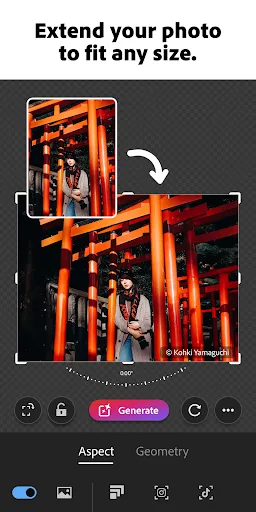
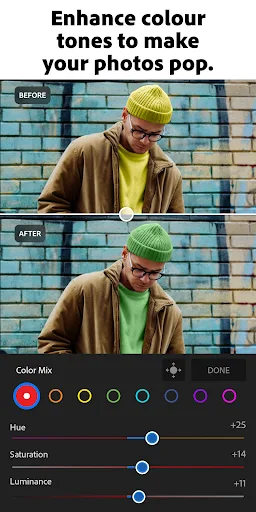
- Quick Actions Suggested edits handle common fixes such as cropping, resizing, and colour tweaks. They reduce the amount of manual adjustment needed for routine photo cleanup.
- Adaptive Presets Preset-based edits provide one-tap looks, including film-style options mentioned in the description. They are useful when a photo needs a consistent mood without building an edit from scratch.
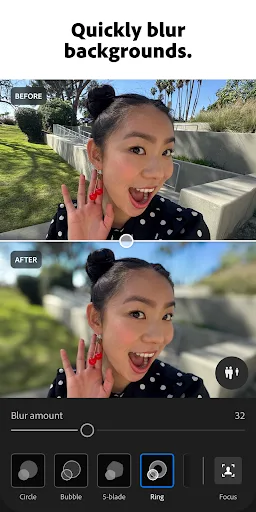
- Background Blur Background blur adds depth to portraits and subject shots. It gives the app a practical portrait-editing role without requiring more advanced desktop software.
- Generative Remove The removal tool is designed to erase unwanted objects from a photo. That makes cleanup faster when distractions sit in the frame and need to disappear.
- Batch Editing Edits can be applied across multiple photos, which helps keep concert, travel, or family albums visually consistent. This is the feature that makes the app useful beyond one-off fixes.
What Makes It Stand Out
Lightroom stands out less through novelty than through range and polish. It covers basic mobile editing, AI-assisted corrections, and preset culture in one place, while still carrying the credibility of Adobe’s broader creative software line.
- Large User Base The Android listing shows 100,000,000+ installs and the app has over 3.6 million ratings. That scale suggests a well-established product with a long track record on mobile.
- Cross-Platform Reach It is available on both Android and iPhone in the United Kingdom. That matters for households or teams that split between Google Play and the App Store.
- Frequent Maintenance Recent listed updates and current version numbers indicate active development. Regular maintenance is important for an editor that handles new camera files, device changes, and AI features.
Things to Know Before Installing
The main caveat is that a free install does not necessarily mean a free end-to-end experience. Adobe also points to terms and privacy policy pages, and the app handles personal photos, so permissions and account-related friction are worth checking before it becomes part of a daily workflow.
- Paywall Risk The store listing marks the app as free, but Adobe’s wording around premium-style features suggests some capabilities may sit behind paid access. The free tier should be checked against the specific tools needed.
- Photo Access The app’s core job depends on access to the photo library and camera roll. That makes Adobe’s privacy policy relevant, especially for users editing personal or family images.
- Age Ratings Google Play rates it PEGI 3, while the App Store lists 12+. That is a broad family-friendly rating, but the App Store classification is the stricter reference for iPhone and iPad users.