

Zoom Workplace
zoom.com

| Category | Business |
| Installs | 1,000,000,000+ |
| Version | VARY |
| Updated | Jul 22, 2026 |

About this app
App Overview
Zoom Workplace is a Business app built by zoom.com and aimed at people who need meetings, messaging, calling, and document collaboration in one place. In practice, it replaces a patchwork of separate work apps with a single workspace for video calls, Team Chat, Zoom Phone, Docs, Whiteboard, calendar, and mail. The layout is organised around those functions rather than a single feed, so daily use tends to involve quick jumps between scheduled meetings, chat threads, and call controls. The official description also places AI features at the centre, with meeting summaries, note-taking, and drafting help folded into the workflow. That makes it feel less like a plain video-conferencing client and more like a broader collaboration hub. The scale is notable: more than 1 billion installs on Google Play and over 4.5 million ratings, although the average score sits at a fairly ordinary 4.0.
Core App Features
- Video Meetings Users can schedule or join video meetings with one tap, which makes the app a practical daily tool for recurring work calls rather than a one-off conferencing client.
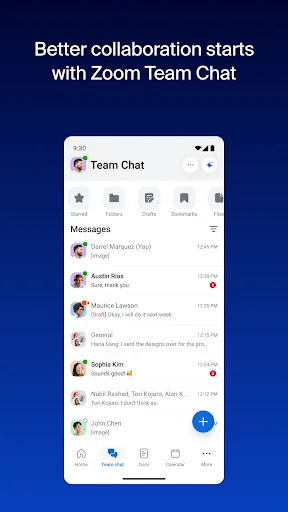
- Team Chat The chat layer supports messages to colleagues and external contacts, giving the app a lighter back-and-forth channel alongside scheduled meetings and phone calls.
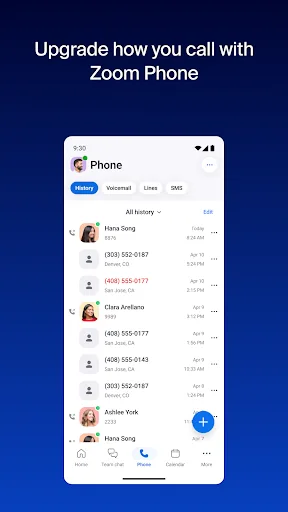
- Zoom Phone The app can place and receive phone calls, and it can also send SMS text messages where Zoom Phone is available, extending it beyond video conferencing.
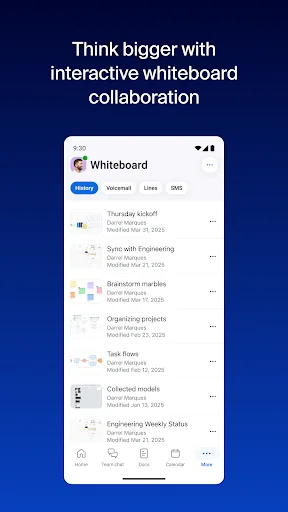
- Docs And Whiteboard Zoom Docs and Whiteboard give teams somewhere to draft content, keep notes, and sketch ideas without leaving the same app used for calls.
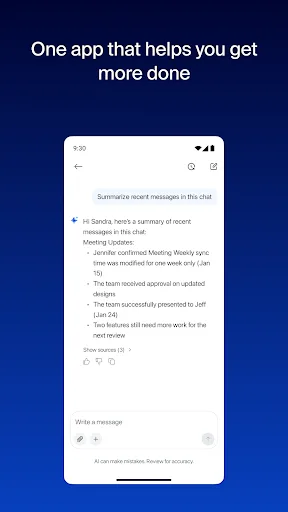
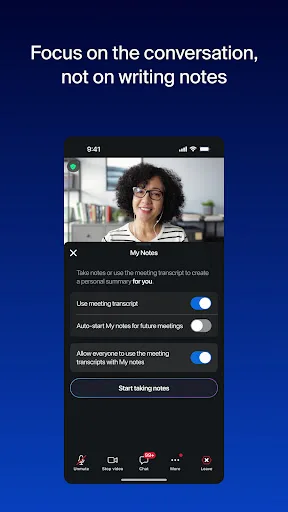
- AI Meeting Help Built-in AI is used for meeting summaries, note-taking, catching up on unread chat, and drafting content, which is most useful when meetings and messages stack up quickly.
What Makes It Stand Out
Zoom Workplace stands out less for novelty than for consolidation. It tries to cover the parts of a workday that usually live in separate apps, and the result is a familiar but wide-ranging package with strong platform support and enormous install reach.
- Huge Install Base More than 1 billion Google Play installs and over 4.5 million ratings suggest a mature product with a long public track record, not an experimental release.
- Cross-Device Continuity The app can move live calls between devices, and it supports Picture in Picture on Android phones and Split Screen on tablets, which helps during busy work sessions.
- Recent Maintenance The listing shows fresh updates on both Android and iPhone, with the App Store version at 7.1.5, which suggests active ongoing support.
Things to Know Before Installing
The convenience comes with a few practical tradeoffs. Some of the more advanced collaboration and AI features are tied to paid plans or other licences, so the free tier is not the full product. The app also handles meetings, messages, calls, mail, and docs, which makes privacy settings and account setup worth checking before sign-in.
- Paid Feature Gates The store description says some features require a paid Zoom Workplace subscription or other licence, and Zoom Workplace Pro adds longer meetings, cloud recording, and co-host controls.
- Account And Policy Checks Because the app centres on work communication and cloud services, the privacy statement and sign-in terms matter more than they would for a simple utility.
- Large iPhone Download The App Store listing reports a size of 448,864,256 bytes, so iPhone and iPad users should leave extra storage headroom for updates, cache, and saved content.